Trying to enable our "Free Customer Pickup" option during your online order checkout?
Its easy! Just follow these steps below:
1. Finish placing your desired Gluten Free Things into your cart.
2. Go to checkout.
Whether you're a returning customer and have created an account with email and password, or a new customer or just checking out with a guest account, you still have to use your own BILLING ADDRESS.
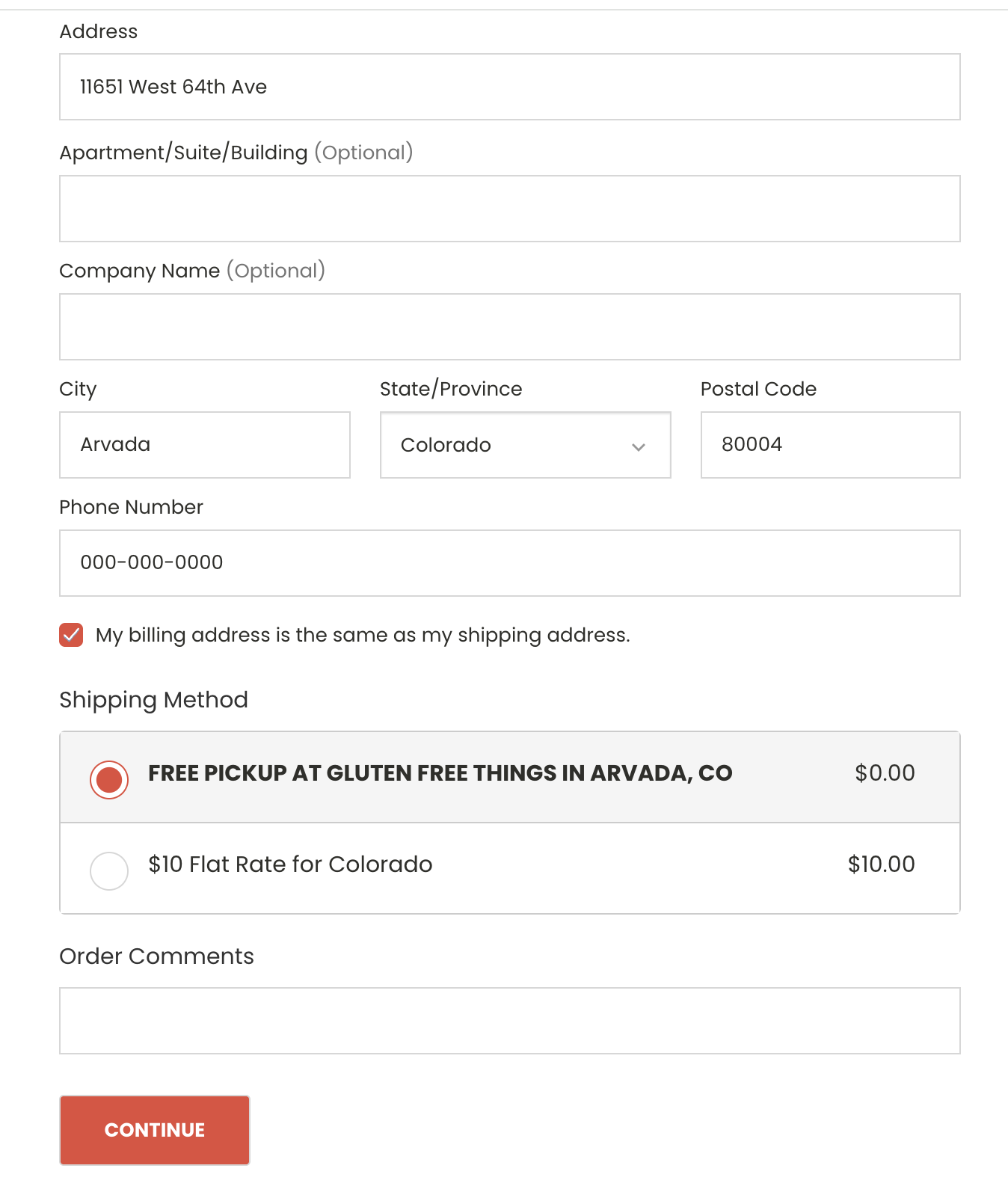
3. SHIPPING is where we activate the "Free Pickup" option. For the shipping address, the free customer pickup option will be immediately be enabled when you: ---> use a Denver Metro address that begins with 80*.
4. USE OUR ADDRESS IF YOU WANT: If you're ordering for someone else and you don't live in Colorado or in the Denver area, please feel free to use our Gluten Free Things address as your SHIPPING ADDRESS. See below. Once you enter that address you'll see the FREE PICKUP option enabled and will be revealed immediately below that shipping address section. Any Denver metro address with a postal code that begins with 80* will work.
Our Gluten Free Things address is:
11651 West 64th Avenue, Arvada, Colorado 80004
Check out the screenshot below so you know what it looks like.
Remember - your credit card still requires that you use your correct BILLING ADDRESS for verification.
5. You'll see an ORDER COMMENTS field below the shipping method toward the bottom. (See it in the screen shot). Its helpful to know approximately when you plan to pickup your order so we get it ready the evening before arrival. So just give your best effort, and that pickup info will show on our end, in the order notes at the bakery.